
Patient scheduling software for medical practices
Let patients schedule online, any time of day.
Patients self-schedule from your website, your BestDoc profile or Google: they choose a provider, location and open time and get an instant confirmation. Every booking lands in the calendar your team already works from.
$250 per provider/month or $450 per facility/month
- Free 15-minute demo, no commitment
- Unlimited bookings, no per-booking fees
- No long-term contract, cancel anytime
Practices using BestDoc



From solo offices to a multi-specialty clinic in Brooklyn seeing 3,500+ patients a week.
From the first click to a confirmed visit.
How patient self-scheduling works for your patients and your front desk.
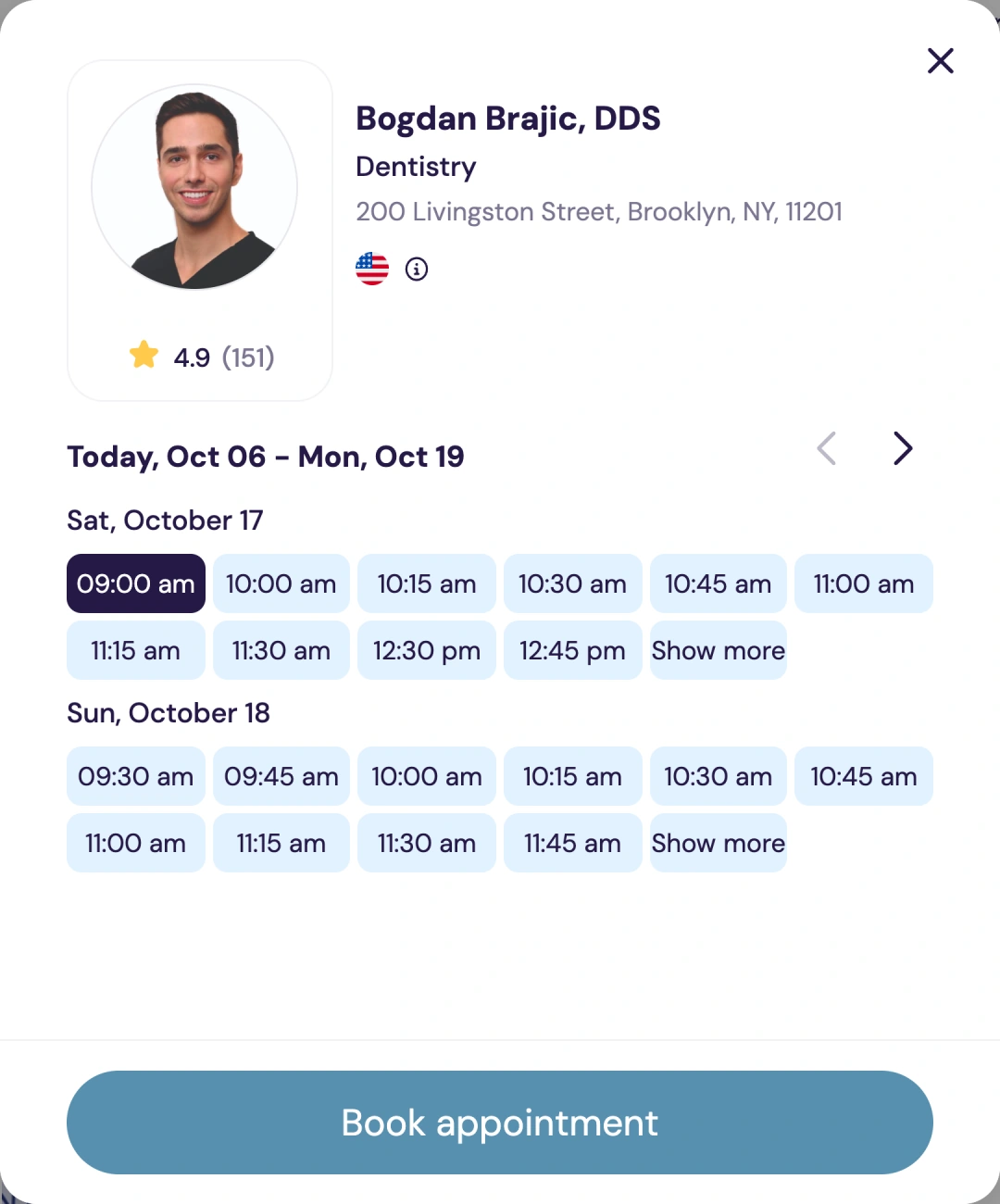
Patients pick a time
From your website, your profile on bestdoc.com or the Book Online button on Google.
They get a confirmation
Right after booking, then text and email reminders before the visit.
Your team sees the visit
The appointment appears in your BestDoc calendar with the rest of the day.
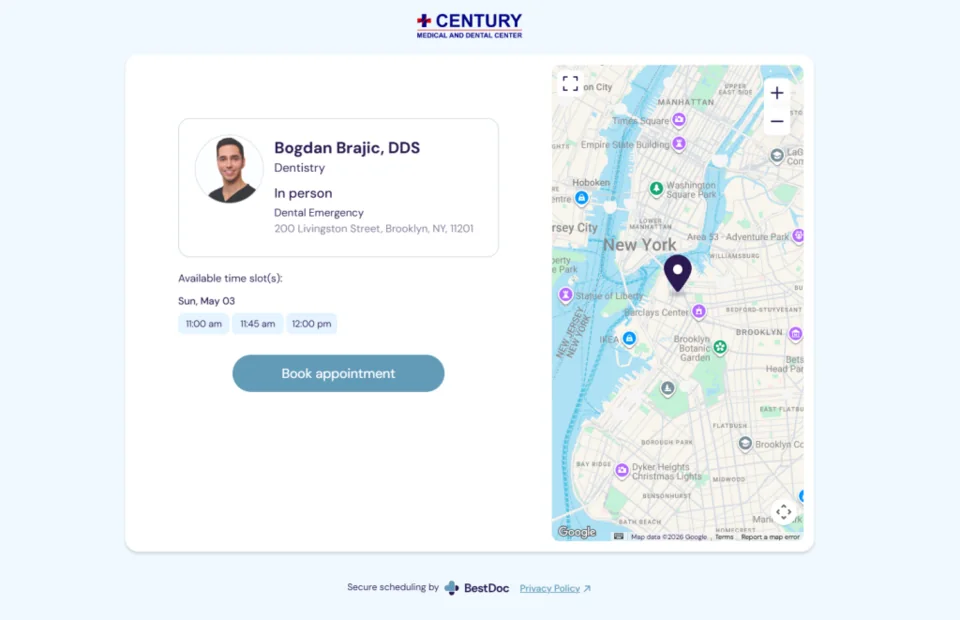
One booking page, wherever patients find you
Link your booking page from your website and your BestDoc profile. On Google, patients can book from the Book Online button on your Business Profile in Search and Maps.
- Booking button for your website
- Book Online from Google Search and Maps
- Your profile on bestdoc.com
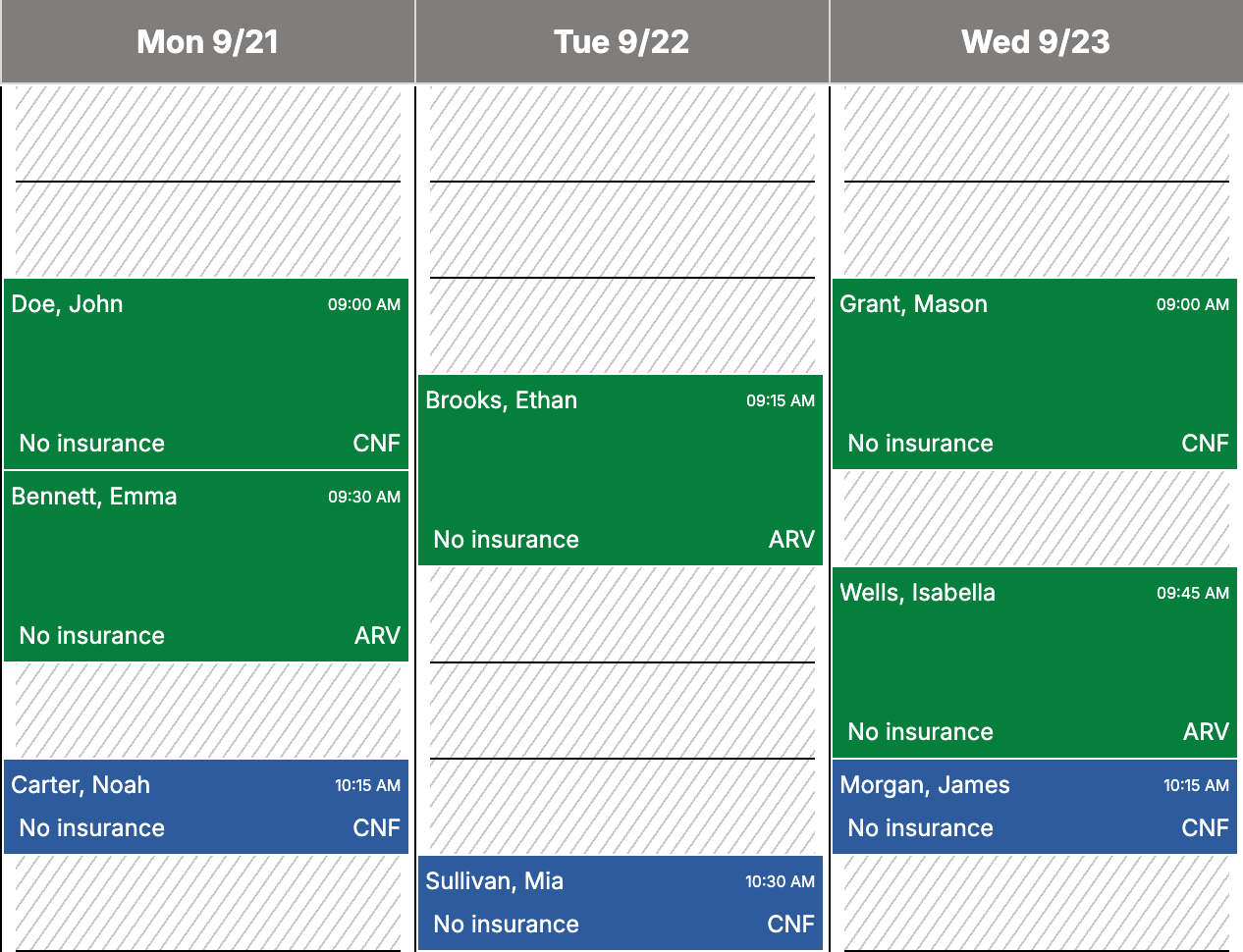
One calendar for the whole team
Online bookings land in the same calendar as the visits your front desk enters. You set the appointment types, office hours and each provider’s schedule.
- Appointment types and hours you control
- A column for each provider
- Automatic text and email reminders
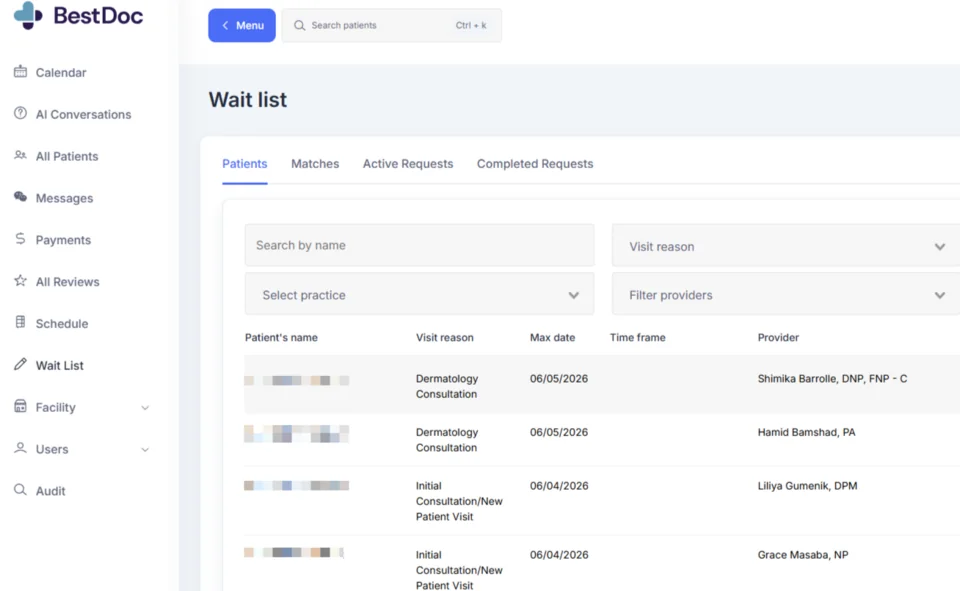
Fill cancellations from your waitlist
Patients can join a waitlist for an earlier time. When a matching slot opens, BestDoc texts them, and a patient can confirm the new time in one click.
- Patients join the waitlist online
- A text goes out when a time opens
- One click to confirm
See BestDoc in 90 seconds
A short look at online booking, reminders and the waitlist.
Book a 15-minute demoThe video plays from YouTube. Open it on YouTube
The rest of your front office, in the same subscription.
Booking, intake, payments and reviews work together in one system, at one monthly price.
Patient payments
Send a payment link by text or email and see what is paid, pending or refunded.
Learn moreDigital intake
Patients complete forms and upload their ID and insurance card before the visit.
Learn moreReview management
Request feedback after visits and answer Google reviews from one inbox.
Learn moreEverything else
Reminders, waitlist, calendar and team tools, and your profile on bestdoc.com.
See all features
One flat monthly price. No per-booking fees.
Per-booking marketplaces charge $35 to $110+ for every new patient. On BestDoc, a hundred bookings cost the same as ten.
$250/ provider / month
or $450 / facility / month
- Unlimited bookings
- No long-term contract, cancel anytime
- Save 20% with annual billing
Included at either price
- Online booking
- Text and email reminders
- Digital intake forms
- Online payments
- Waitlist
- Review requests
- Calendar and team tools
- Your profile on bestdoc.com
Not sure which price applies to you? Tell us how many providers and locations you have and we will confirm it in the demo. Card processing fees for online payments are separate from the subscription. The marketplace comparison is based on publicly available information; BestDoc is not affiliated with those marketplaces.
Questions before a demo?
Can patients self-schedule from my website?
Yes. Add the booking link or button to your website. Patients can also book from your profile on bestdoc.com and from the Book Online button on your Google Business Profile.
Is BestDoc scheduling software or a marketplace?
Both, at one flat price. BestDoc is scheduling software for your practice: booking page, calendar, reminders and waitlist. Your practice also gets a profile on bestdoc.com, where patients can find you and book. There are no per-booking fees either way.
Do you charge per booking?
No. You pay a flat $250 per provider or $450 per facility each month, and bookings are unlimited.
Can I control which times patients see?
Yes. You set the appointment types, office hours and each provider’s schedule. Patients book from the open times on that schedule.
What happens when a patient cancels?
The time opens up again, and patients on your waitlist get a text so one of them can take it.
Is it a fit for a solo provider?
Yes. Practices on BestDoc range from solo offices to multi-specialty clinics. A solo provider pays $250 a month with no long-term contract.
Do I need to replace my current EHR?
You do not have to. Practices use BestDoc for the front office: booking, reminders, intake, payments and team tasks. Tell us which EHR you use and we will show you in the demo how the two would work side by side.
Book your 15-minute demo.
Leave your details and we will reply within one business day to set a time.
- Your booking page and team calendar on a sample practice
- Your price for your number of providers and locations
- No slides and no commitment