
Patient Payment Collection Without More Phone Calls
A payment link solves the checkout step, not every billing problem. Here is how a small practice can build the rest of the workflow without adding another round of phone calls.
The patient has left. The visit is complete. Someone still needs to check the balance, send a request, answer a question about the charge, and find out whether payment arrived.
In a small practice, that someone may also be answering the phone and helping the next patient check in. A payment task that has no clear next step can sit between a handwritten note, an inbox, and a spreadsheet.
A workable patient payment collection process needs four things: a confirmed amount, a clear request, an easy way to pay, and an owner for questions or failed payments. An online payment link can handle the checkout step. Your team still needs a process around it.
This guide is for independent providers and small medical practices reviewing that process. It covers collecting payments from patients—not insurance claim submission, medical coding, or a complete revenue-cycle management service.
Start with the amount, not the reminder
Before anyone sends a payment request, decide who confirms that the amount is ready to collect. That may be your biller, practice manager, or another designated staff member.
A patient should not receive competing requests because one person checked a spreadsheet while another looked at the payment system. Choose the system your team will treat as the source of truth for the balance, and make the handoff explicit.
For example, in a hypothetical two-provider practice, the manager checks which balances are ready. A front-desk teammate sends the approved requests. Questions about an amount return to the manager; they do not trigger another reminder.
Document three decisions before choosing software:
- Who approves the amount and timing of a request?
- Where can staff see whether it has already been paid or adjusted?
- Who answers if the patient disagrees with the amount or needs help?
Your practice's billing policies, payer arrangements, and applicable requirements still govern what can be collected and when. A payment tool does not make those decisions for you. The AMA's patient-payment resources are a separate starting point for reviewing the broader process with your billing team.
Give each payment request a visible next step
You do not need a complicated workflow to get started. You need staff to agree on what each stage means.
| Stage | What the team needs to know | Next action |
|---|---|---|
| Ready to request | Amount and recipient checked | Send through the approved channel |
| Request sent | A request was issued; payment is not confirmed | Check the payment record before following up |
| Patient has a question | The balance or payment method needs explanation | Assign a person to respond |
| Payment pending or unsuccessful | Checkout has not produced a confirmed payment | Follow the processor's status and investigate |
| Paid | Payment is confirmed in the payment record | Reconcile it with the practice's records |
| Adjusted or refunded | The amount or transaction changed | Review the record before any further request |
These are suggested operating stages, not a claim that every system uses these exact labels. In a product demo, ask the vendor to show where your team would find each piece of information.
Also keep “sent,” “delivered,” and “paid” separate. A system accepting a message is not proof that the patient received it. Opening a checkout page is not proof that a payment completed.
Make the patient's path short and recognizable
A useful payment request tells the patient which practice is contacting them, where to review the request, and how to reach a person if something looks wrong.
For a practice using an approved messaging workflow, a starting template might be:
A message from [Practice Name]: please review your account at [secure payment link]. If you have a question, call our office at [office phone].
Have your team review the wording and communication preferences before using it. Keep clinical details out of an ordinary notification. Do not ask patients to reply with card numbers, security codes, or documents.
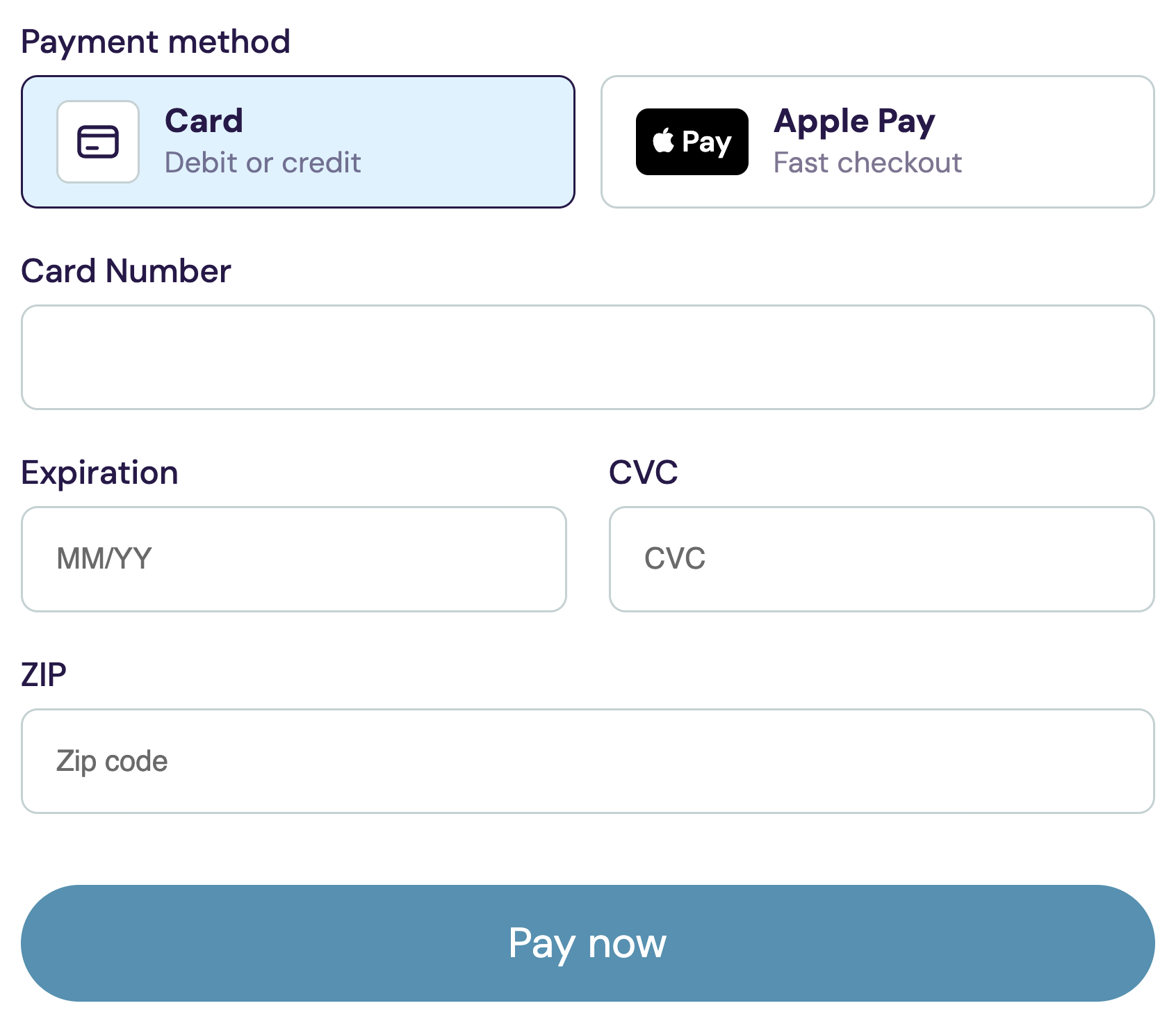
The link should take the patient to the intended payment page, not a general homepage where they must work out what to do next. On that page, they should be able to understand the request, see the available payment methods, and recognize when checkout has finished.
Test this on a phone as well as a computer. Look at the small details: can someone read the amount without zooming? Is the action button clear? If checkout fails, does the message explain a useful next step without making the patient guess whether they were charged?
Do not build the process around a wallet button appearing for everyone. Options such as Apple Pay can depend on the device, browser, and payment configuration. A supported alternative needs to remain understandable.
Handle exceptions before adding more reminders
When a balance remains open, another message is not always the right next action. Sort the problem first.
The patient does not understand the amount
Route the question to the person responsible for the account. Check the underlying record before asking for payment again. A clear explanation is more useful than a faster sequence of reminders.
The patient did not receive or cannot use the link
Verify the contact information through your approved process, check any delivery information your system provides, and offer the practice's supported alternative. Do not assume that a person who needs help is refusing to pay.
Checkout did not complete
Check the processor's transaction status before sending a fresh request. A pending payment, an unsuccessful attempt, and a completed payment require different responses. Avoid recording card details in notes, email, or messaging while troubleshooting.
The visit or amount changed
Make sure the payment request and your practice records agree before following up. If your workflow involves a refund or adjustment, ask in the demo how staff identify it and how it is reflected in the records they use. Do not assume that a cancellation automatically performs a refund.
Pilot one workflow before changing the whole practice
Start with one clearly defined type of request that your billing team has approved. Keep the amount-approval process, communication channel, and staff owner consistent during the pilot.
Use test data in a supported test environment to walk through a successful checkout and an unsuccessful one before involving patients. For the live pilot, keep a simple internal review of what happened; avoid scattering patient details across shared marketing spreadsheets.
At the end of the pilot, ask:
- Were requests sent for the correct amount, to the correct recipient?
- Could staff identify paid and unpaid requests without asking a second person?
- Which questions still required a call?
- Were any requests repeated after a payment or adjustment?
- Did staff know what to do when the digital path did not work for a patient?
This is also a good time to check the earlier steps. Accurate contact details gathered during digital patient intake can prevent an avoidable handoff problem later. They do not replace checking the current account and communication preferences.
Measure completed work, not messages sent
Sending more requests is not the goal. A useful patient payment collection review shows whether the team can finish the task with fewer unresolved handoffs.
Track a small set of measures internally:
- Confirmed payments: requests with a completed payment, not just a checkout visit.
- Time to payment: measured from the original request, with unpaid requests kept visible separately.
- Staff follow-ups: how many manual contacts were needed for the same group of requests.
- Exceptions: disputed amounts, delivery problems, unsuccessful attempts, duplicates, and adjustments.
Compare similar groups over similar periods. A week dominated by small, familiar balances is not a fair comparison with a week containing older or disputed accounts. Keep processing charges and refunds visible when evaluating the cost of the workflow.
You do not need an impressive percentage for a case study. You need to know which step still leaves your team doing unnecessary work.
What to ask in a patient-payments software demo
Ask to see a complete example, not only the payment button:
- Create a request using fictional patient information.
- Open it on a phone and review the supported payment methods.
- Complete checkout in the vendor's test mode and find the result on the staff side.
- Show an unsuccessful or pending payment and explain the next action.
- Show how staff recognize a refund or adjustment.
- Explain what transfers to your existing billing or clinical system and what remains a manual step.
- Explain subscription costs, payment-processing fees, and any other applicable charges separately.
If you already use an EHR or billing service, bring its name to the conversation. “Works alongside your current system” is not the same as automatic synchronization. Ask for the actual handoff you would use.
Where BestDoc fits
BestDoc Online Payments lets a practice send a payment request by text or email and lets the patient enter payment details on a secure page. Staff can see payment status as part of the front-office workflow.
The broader platform brings together booking, digital intake, reminders, and payments. For a small practice, the relevant question is whether that arrangement makes the handoffs between those tasks easier for its team.
Card-processing fees are separate from the subscription. Ask the BestDoc team to demonstrate the payment methods, status handling, and relationship with your existing systems for your particular setup. Do not assume it replaces insurance billing or guarantees payment from every patient.
Want to see the workflow on a sample practice? Request a BestDoc demo. Tell us how many providers work at your practice and where collecting payments currently gets stuck. We can focus the conversation on that step, rather than give you a tour of features you do not need.