
Best Doctor Appointment Booking Sites Compared (2026)
Six well-known ways to find a doctor, compared by speed, insurance filters, reviews, urgent care, upfront pricing, and how easy it is to book.
Finding a doctor used to mean calling around, sitting on hold, and hoping someone had an opening before next month. Now you can do most of it from your phone. The catch is that the popular sites don't all do the same job. Some are built to book you a visit in the next day or two. Some are built to help you research a doctor before you commit. One shines when you need care today, another when you're paying out of pocket and want to see the price first.
So "which site is best?" is the wrong question. The better one is "best for what?"
This guide compares six well-known options — Zocdoc, Healthgrades, WebMD Care, Solv, Sesame, and BestDoc — in plain language. We'll cover where each one is strong, where it's thinner, and which to reach for depending on your situation: a primary care doctor, a dentist, an OB-GYN, a dermatologist, urgent care, or a telehealth visit. By the end, you'll know exactly where to start.
First, a safety note. If your symptoms are severe — chest pain, trouble breathing, signs of a stroke, heavy bleeding — close the app and call 911 or go to the nearest emergency room. A booking site is for planning care, not for emergencies.
Quick comparison: best doctor appointment booking sites
Here's the short version before we get into detail. Use it to find your starting point, then read the section that matches your situation.
| Platform | Best for | Why patients use it | What to check before booking |
|---|---|---|---|
| Zocdoc | Booking an in-network visit fast | Visible appointment slots, insurance filters, patient reviews | Insurance match, visit reason, cancellation policy, confirmation |
| Healthgrades | Researching doctors and hospitals | Detailed profiles, patient ratings, hospital quality context | Whether online booking is actually live for that provider |
| WebMD Care | Browsing a broad directory | Familiar brand, broad provider profiles and ratings | Appointment availability and how current the profile is |
| Solv | Same-day and urgent care | Same-day slots, wait times, walk-in-style booking | Clinic type, payment/insurance, whether symptoms need an ER |
| Sesame | Cash-pay with upfront pricing | Flat prices, no insurance needed, lots of telehealth | Total cost, provider license/location, whether insurance is cheaper |
| BestDoc | A simple search-to-booking path | Provider search, patient reviews, insurance filters, free to use | Provider availability near you, visit type, office confirmation |
Features change, and a given doctor may use one site differently than the next. Always glance at the actual provider profile before you lock in a time.
How to choose the right doctor booking site
Before you pick a platform, it helps to know what you actually need from it. Run through these quick questions.
Do you need to book now, or research first? If you already know what kind of doctor you want and just need a slot, a booking-first site saves time. If you're trying to vet a surgeon or compare specialists, a research-first directory is the better tool.
Do you need insurance filtering? If you're using insurance, the single most useful feature is the ability to enter your plan and see only in-network providers. It's the difference between a $30 copay and a surprise bill.
Do you care about reviews — and which kind? Some platforms try to connect reviews to booking or visit workflows. Others collect open ratings from a wider audience. Both can be useful, but they're not the same thing.
Is this urgent or same-day? A sprained ankle on a Saturday is a different problem than an annual physical. Same-day care has its own set of tools.
Would you rather pay cash at a known price? If you're uninsured, between plans, or your deductible is sky-high, a flat upfront price can beat running a visit through insurance.
Is the provider actually available online, and will the visit be confirmed? Listings can lag behind reality. A profile that shows openings doesn't always mean the office has synced its calendar, so confirmation matters.
Hold those answers in mind as we go through each platform.
Zocdoc
Zocdoc is the name most people think of first, and it's earned that for one reason: it's built around booking. You search by symptom, specialty, visit reason, or a specific doctor's name, add your location and insurance, and the site shows you visible appointment slots — often within the next day or two.
The insurance piece is a genuine strength. You add your carrier and plan details, and Zocdoc can help narrow results to providers that appear to match your coverage. That's exactly what you want when cost depends on staying in-network. Booking through the platform is generally free for patients, but you should still check the office's own cancellation or no-show rules before you confirm.
Reviews are another plus. Zocdoc emphasizes patient reviews tied to its booking workflow, which can make the feedback feel closer to the actual visit experience than a fully open review site. It also handles telehealth well, letting you filter for virtual visits and book around the clock.
What to verify before you book: confirm the appointment is truly confirmed (you'll usually get a message from the office), double-check that your specific plan — not just the carrier — is accepted, make sure the visit reason matches why you're going, and read the cancellation policy so you're not caught off guard. Zocdoc is often the fastest path from "I need a doctor" to "I'm on the calendar." If you want to weigh it head-to-head against a simpler option, see our Zocdoc vs BestDoc comparison.
Healthgrades
Healthgrades is less of a booking app and more of a research library. If you want to dig into a doctor before you ever pick up the phone, this is a strong place to do it. The site keeps detailed profiles, and it leans hard into patient ratings — a large body of them — along with background, specialties, conditions treated, and how a provider connects to nearby hospitals.
That hospital angle is where Healthgrades stands apart. It publishes quality awards and ratings for hospitals based on clinical outcomes, which is useful context if you're facing surgery or a serious procedure and want to know how the facility performs, not just the individual doctor. It also offers plain-English guides on conditions and procedures, so you can walk into an appointment knowing what to ask.
Booking is available for many providers, but it isn't the whole point of the site the way it is on Zocdoc. Depending on the doctor, you may be able to request a visit online, or you may be pointed to call the office.
What to verify before you book: check whether direct online booking is actually live and current for the specific provider, since the research depth is the real draw here. Healthgrades often works best as step one — narrow down who you want to see — before you book elsewhere. It's a natural fit when you're choosing a specialist or a primary care physician (PCP) you plan to stay with for years.
WebMD Care
Most people know WebMD as the place they go to read about symptoms, and that familiarity carries over to its doctor directory. WebMD Care is a broad physician directory — a broad set of provider profiles, ratings, and reviews — wrapped in a brand patients already trust.
It's built for browsing. You can search by specialty, location, insurance, or procedure, then check a provider's ratings, address, and experience. Many profiles support booking online, including video visit and chat options, so it's not research-only. WebMD also runs its own hospital recognition program based on patient and provider input, which adds another layer of context if you like to compare facilities.
Where it fits: WebMD Care is a comfortable starting point for research-oriented patients who want a wide net and a recognizable name, especially when they're early in the process and just seeing who's out there. It covers the full range of specialties, from family medicine and pediatrics to dermatology, OB-GYN, and psychiatry.
What to verify before you book: as with any large directory, confirm that the appointment availability is real and that the profile is current. A listing reflects what the provider last shared, so a quick call or a confirmation message protects you from booking against a stale calendar.
Solv
Solv solves a specific problem really well: you need care today and you don't have a regular doctor's opening to lean on. Think urgent care, walk-in clinics, labs, and telemedicine — the kind of care you want now, not next week.
The experience is built around speed. You can find same-day appointments near you, check wait times before you leave the house, and skip a lot of the paperwork by saving your profile. It's app-first and heavily used for exactly this: the company positions itself around fast access, including nights and weekends. It also covers practical one-offs like COVID, strep, and STD testing, plus pediatric urgent care for kids.
Where it fits: a fever that won't break on a Sunday, a possible ear infection, a rapid test you need for travel or work, or a minor injury that isn't an emergency but shouldn't wait. For everyday "I need to be seen soon" moments, Solv is purpose-built.
What to verify before you book: check the clinic type so it matches your need (an urgent care center is not a primary care office), confirm what they accept for payment or insurance, and — most important — be honest about your symptoms. Solv itself says it plainly: in a medical emergency, call 911 or go straight to the nearest ER rather than booking a same-day slot.
Sesame
Sesame takes a different approach from everyone else on this list: it's built around cash-pay care with prices you can see before you commit. No insurance required. Instead of a copay you can't predict, you see a flat price up front and decide if it's worth it.
That model is a real advantage for specific people: the uninsured, anyone between plans, or patients with high-deductible coverage who'll pay out of pocket anyway and would rather know the number in advance. Sesame leans heavily on telehealth — urgent care visits, prescription refills, mental health, skin concerns, weight management, and more — with some in-person options depending on where you are, with provider availability varying by service and location.
Where it fits: a straightforward telehealth visit when you want to skip the insurance math, a prescription refill, or a one-off concern you'd rather handle quickly at a known cost. The transparency is the selling point.
What to verify before you book: look at the total price, not just the starting figure, since costs vary by service. Confirm the provider's license and that they can treat patients in your state. And do the quick comparison that matters most — for some visits, your insurance copay may actually be cheaper than cash-pay, while for others, cash-pay wins. Sesame makes that comparison easy because the price is right there.
BestDoc
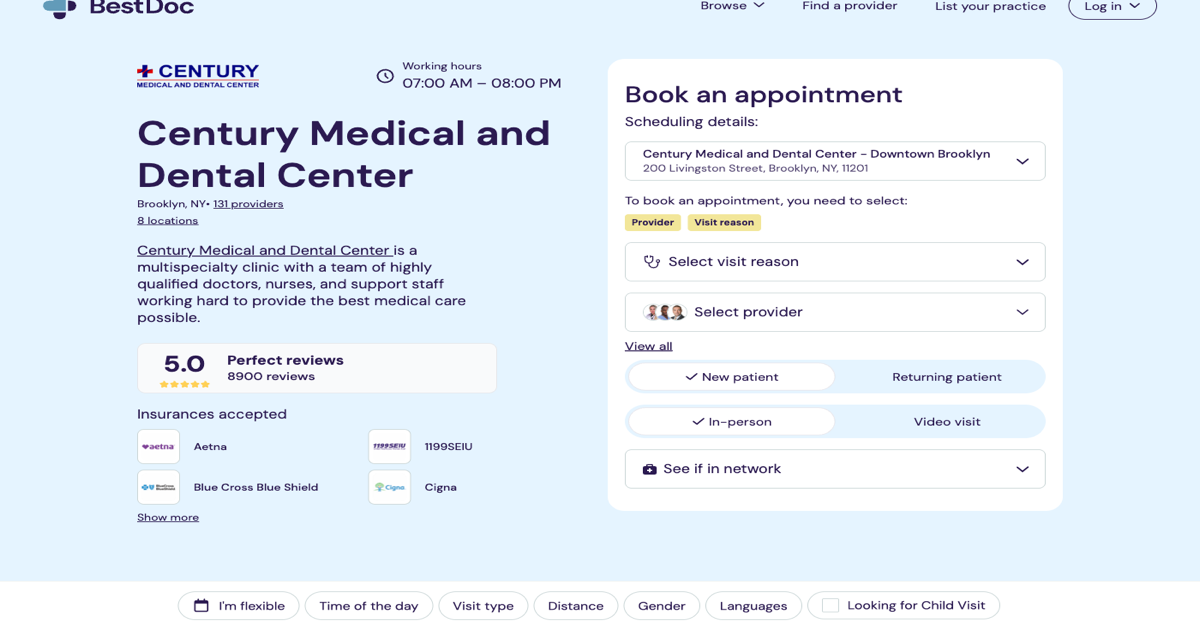
BestDoc is for patients who want the path from "find a provider" to "book a visit" to feel short and clean. You search for a doctor near you, filter by your insurance carrier and plan, read patient reviews, and book an in-network provider — and it's free to use.
The idea is less friction between discovery and the actual appointment. You're not bouncing between a research site and a separate booking tool; you search, you check the profile and reviews, and you request a time. It covers the specialties most people actually need day to day, including primary care, dermatology, gynecology, urology, physical therapy, psychiatry, and nutrition, and it works with practices and health systems on the back end so the booking connects to a real calendar. (Practices evaluating the tools behind this can read about medical appointment scheduling software.)
Where it fits: BestDoc is a good match when you want provider search and appointment booking to feel simple and direct — you know roughly what you need, you want to stay in-network, and you'd rather not overthink it. You can browse providers by specialty and location to see who's available near you.
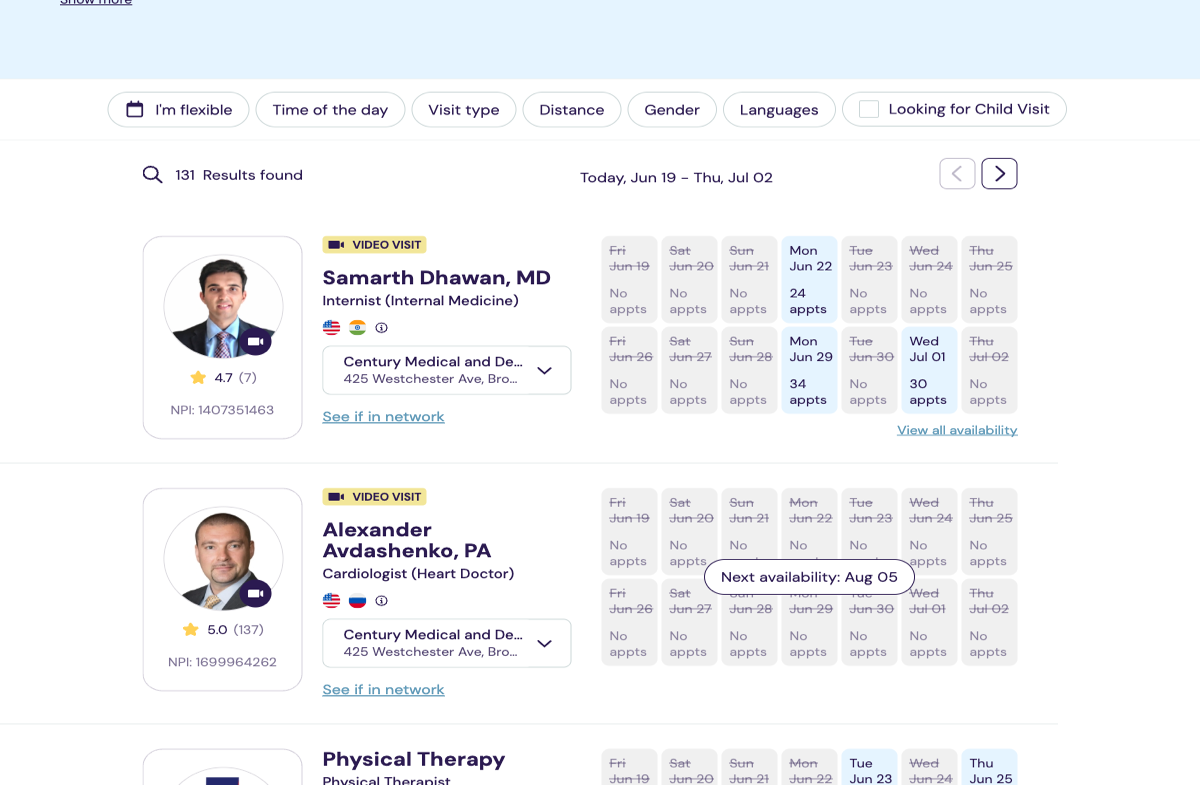
What to verify before you book: check that the provider has availability in your area, confirm the visit type (new patient versus existing, in-person versus telehealth) and that your insurance is accepted, and watch for the office confirmation so you know the time is locked in. It's not a magic wand — no booking site is — but for a clean, low-hassle route from search to appointment, it does the core job well.
Which site should you use?
Here's the practical cheat sheet, by situation rather than by brand.
You want to book an in-network doctor quickly. Start with Zocdoc or BestDoc. Both let you filter by insurance and book without a phone call. Zocdoc has enormous reach; BestDoc keeps the search-to-booking path simple.
You want to research a doctor deeply before committing. Go to Healthgrades or WebMD Care. They're built for reading profiles, reviews, and — on Healthgrades — hospital quality context. Great for choosing a specialist or surgeon.
You need urgent or same-day care. Use Solv. It's made for finding a same-day slot at urgent care, a clinic, or a lab, and for checking wait times before you go.
You want upfront, cash-pay pricing. Choose Sesame. You'll see a flat price before you book, which is ideal if you're uninsured or simply want to skip the insurance guesswork.
You want a simple provider search and booking path. Use BestDoc, especially when you want to find an in-network provider and book without friction.
Plenty of people use two of these together — research a doctor on Healthgrades or WebMD Care, then book through Zocdoc or BestDoc. There's no rule that says you have to pick just one.
Before you book, check these details
Whichever site you land on, a 60-second check protects you from the most common headaches. Run down this list before you confirm:
- Insurance acceptance. Confirm your specific plan, not just the carrier, is in-network — and that it applies to this exact provider and location.
- Appointment reason. Make sure the visit type matches why you're going, so the office books enough time and the right kind of slot.
- New vs. existing patient. New-patient visits often have different availability and longer appointment lengths.
- Telehealth vs. in-person. Double-check which one you're booking; they're easy to mix up.
- Cancellation policy. Know the window and any fee before you commit.
- Office confirmation. Wait for the message or call that confirms the time is actually held. A listed opening isn't always a synced calendar.
- Reviews and recent profile info. Skim recent reviews and check that the profile looks current.
- Symptom severity. If anything feels urgent or dangerous, don't book days out — get same-day care, and for emergencies call 911.
None of this takes long, and it heads off the two worst outcomes: showing up to the wrong kind of visit, or getting a bill you didn't expect.
Final takeaway
There's no single best doctor booking site for every patient. The right choice depends on what you need most right now: speed, research depth, insurance filtering, urgent care, transparent pricing, or simply a cleaner path from search to appointment. Zocdoc and BestDoc are built to get you booked; Healthgrades and WebMD Care are built to help you research; Solv handles same-day needs; Sesame handles cash-pay. Pick the one that fits the moment, and don't be afraid to use two together.
And remember the one rule that overrides all of this: if your symptoms are severe or feel like an emergency, call 911 or go to the nearest ER. Booking sites are for planning care, not for crises.
This article is for general information and isn't medical advice. For diagnosis or treatment, talk with a licensed healthcare provider.
Frequently asked questions
What's the best site to book a doctor's appointment online?
There isn't one best site for everyone. For fast in-network booking, Zocdoc and BestDoc are strong. For deep research, Healthgrades and WebMD Care. For same-day care, Solv. For cash-pay pricing, Sesame. Match the tool to the task.
Is Zocdoc free to use?
Yes. Booking through Zocdoc is free for patients — you can search, read reviews, and book at no cost. The practices that list on the platform pay the fees, not you.
What's the difference between a doctor directory and a booking marketplace?
A directory (like Healthgrades or WebMD Care) is built mainly for researching providers — profiles, reviews, and background. A booking marketplace (like Zocdoc or BestDoc) is built to show real appointment slots and let you reserve one online. Many sites do some of both, but they usually lean one way.
Which site is best for same-day or urgent care?
Solv is purpose-built for same-day and urgent care, including walk-in clinics, labs, and telemedicine, and it lets you check wait times. For a true emergency, skip the apps and call 911 or go to the ER.
Can I book a doctor without insurance?
Yes. Sesame is designed for cash-pay care with upfront prices and no insurance required. Other platforms may also list providers who accept self-pay, but Sesame makes the price clear before you book.
Are online doctor reviews trustworthy?
It depends on the source. Some platforms, like Zocdoc and BestDoc, publish reviews only from patients who actually booked through them, which tends to be more reliable. Open-rating sites cast a wider net but can include reviews from people who never saw the doctor. Read a handful, look for patterns, and weigh recent ones most.